
Resize passport photos online with ease. Adjust image dimensions, prepare photos for ID cards and applications, and get your picture ready for printing or upload.
Need to resize a photo for a passport, visa or online application? Getting the dimensions right can be confusing, especially when different websites ask for different photo sizes. A picture taken with your phone might look perfectly fine but still fail to meet the required specifications. A Passport Photo Resizer helps you adjust your image dimensions so it is easier to prepare a photo for the application you are completing. Instead of guessing the width and height, check the official instructions and enter the required measurements. With the right settings and a clear original picture, you can prepare your photo for printing or digital submission without unnecessary editing.
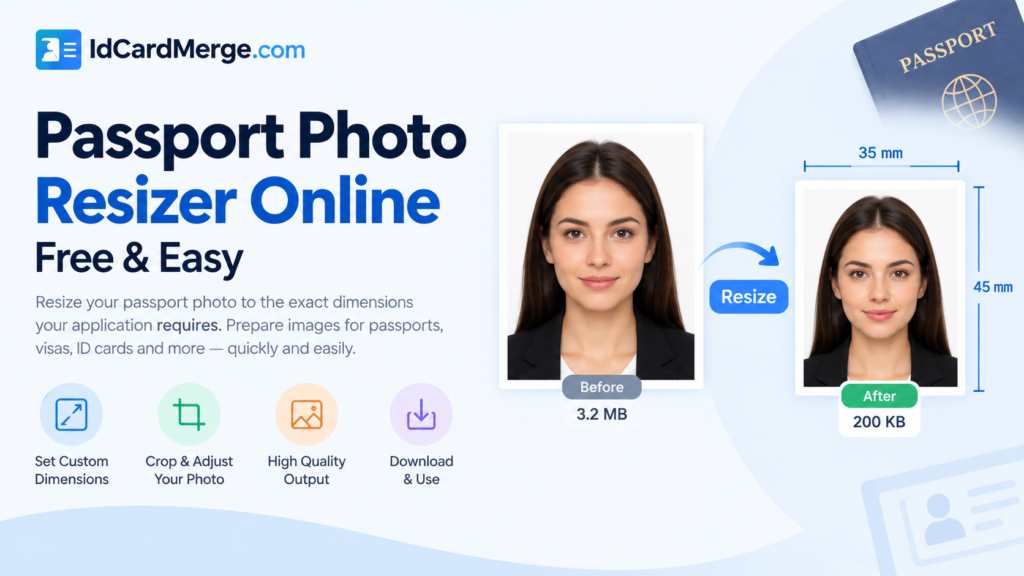
Quick Answer: How Can You Resize a Passport Photo?
Upload your picture to a Passport Photo Resizer, enter the required width and height, adjust the crop if necessary, and download the result. Check the final dimensions, image quality, file format, and background before submitting your photo.
Remember: Correct dimensions are only one part of passport photo requirements. Your application may also specify facial positioning, lighting, background colour, and file size.
How to Resize a Passport Photo Online
Follow these steps to prepare your image for the required photo specifications.
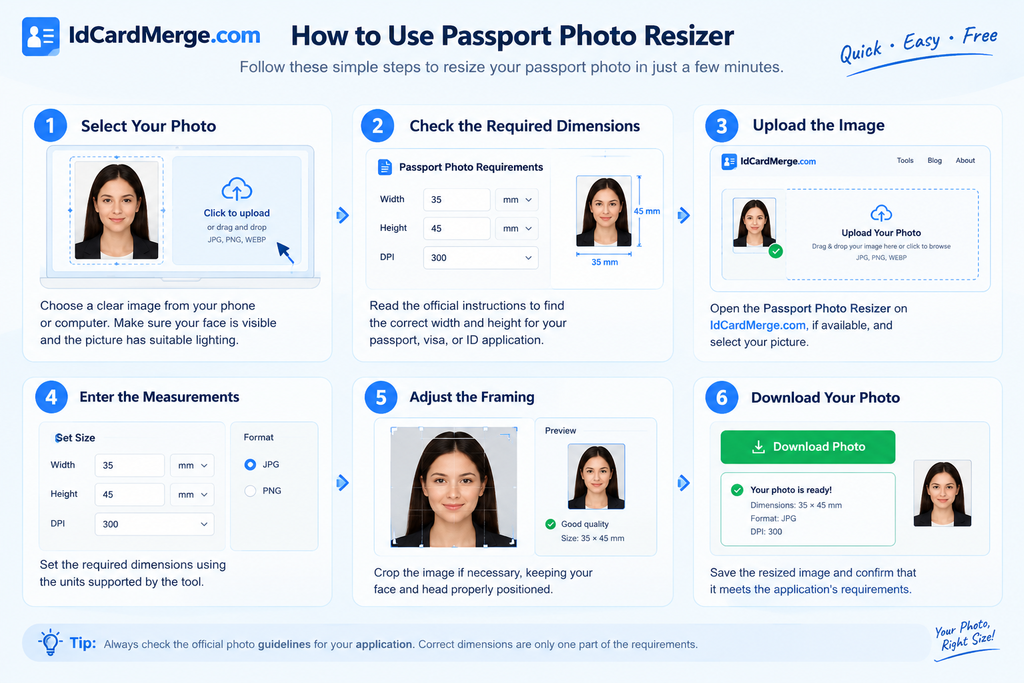
- Choose a clear image from your phone or computer. Make sure your face is visible and the picture has suitable lighting.
- Read the official instructions to find the correct width and height.
- Open the Passport Photo Resizer on IdCardMerge.com, if available, and select your picture.
- Set the required dimensions using the units supported by the tool.
- Crop the image if necessary, keeping your face and head properly positioned.
- Check that the picture looks clear and has not been stretched or cropped incorrectly.
- Save the resized image and confirm that it meets the application’s requirements.
Common Passport Photo Sizes and Requirements
Passport photo sizes vary by country and application. Always use the measurements specified by the authority requesting your photograph.
| Requirement | What to check |
|---|---|
| Photo dimensions | Required width and height |
| Measurement units | Pixels, millimetres, or inches |
| Image format | JPG, JPEG, PNG, or another accepted format |
| File size | Maximum or minimum upload limit |
| Background | Required colour and appearance |
| Facial position | Head size, alignment, and spacing |
| Image resolution | Requirements for digital submission or printing |
Do not choose a size simply because it is commonly used elsewhere. A passport photo accepted in one country may not meet another country’s requirements.
Understanding Photo Dimensions
Photo dimensions can be confusing when an application uses different measurement units. Knowing the difference helps you enter the correct values.
| Unit | Meaning | Common use |
|---|---|---|
| Pixels (px) | Individual picture elements | Digital image dimensions |
| Millimetres (mm) | Physical measurement | Printed passport photos |
| Inches (in) | Physical measurement | Photo printing |
| DPI/PPI | Image resolution | Print preparation |
- For example, a photograph measuring 35 × 45 mm at 300 pixels per inch requires approximately 413 × 531 pixels.
- This is a conversion example, not a standard that applies to every passport. Check your application’s official specifications before using these measurements.
Tips for Preparing a Clear Passport Photo
Resizing cannot fix every problem with a photograph. Use these tips to improve the result before submitting your image.
- Start with a clear picture: Avoid blurry photographs or images with excessive compression.
- Check the lighting: Make sure your face is visible without strong shadows.
- Use the correct background: Follow the background requirements provided by the relevant authority.
- Keep the proportions correct: Avoid stretching the image to force it into a particular shape.
- Position your face carefully: Leave enough space around your head and follow the official framing rules.
- Choose the right file format: Check whether the application accepts JPG, PNG, or another format.
- Review before downloading: Inspect the final image for blur, unwanted cropping, and other visible issues.
Digital Passport Photos vs Printed Photos
A photo prepared for an online application may need different settings from one intended for printing.
| Feature | Digital photo | Printed photo |
|---|---|---|
| Dimensions | Often specified in pixels | Often specified in millimetres or inches |
| File size | May have a strict upload limit | Depends on the image file and printing process |
| Resolution | Must meet digital requirements | Must provide suitable print quality |
| Submission | Uploaded to an online form | Submitted as a physical photograph |
| Final check | Verify dimensions and file format | Verify printed measurements and clarity |
A 300 PPI resolution is commonly used for print preparation, but it does not guarantee that a photograph meets every passport requirement.
Can You Resize a Passport Photo on Your Mobile?
Yes, if the online tool supports your mobile browser.
- Open IdCardMerge.com on your phone.
- Find the Passport Photo Resizer, if available.
- Select a suitable picture from your gallery.
- Enter the dimensions required by your application.
- Review the photo using the available preview options.
- Download the finished image and check it before uploading.
The exact steps may vary depending on the tool’s available features and your device.
Is It Safe to Resize Passport Photos Online?
Passport photographs may contain personal information, so it is important to understand how an image tool handles your files.
Before uploading a picture, check the website’s privacy policy and look for information about image processing, storage, and deletion.
- Use websites that clearly explain their privacy practices.
- Check whether the image is processed in your browser or uploaded to a server.
- Avoid leaving downloaded photographs on shared computers.
- Remove unnecessary copies from devices you no longer control.
- Do not assume that a file is automatically deleted unless the tool’s privacy information confirms this.
If a resizer processes images locally, the pictures can remain on your device without being sent to a server. This should only be claimed when the tool’s actual functionality confirms it.
Why Use a Passport Photo Resizer?
An online photo resizer can make image preparation easier when an application requires specific dimensions.
- Convenient resizing: Adjust your image without installing desktop editing software.
- Custom dimensions: Prepare a photo for the measurements you need.
- Time-saving workflow: Avoid repeated manual adjustments.
- Multiple uses: Prepare images for passport, visa, ID card, and other applications where permitted.
- Easy review: Check the final picture before saving or submitting it.
The quality of your result depends on the original image, the settings you choose, and the features supported by the tool.
Frequently Asked Questions – Passport Photo Resizer
1. How can I resize a passport photo online?
Upload your picture to a Passport Photo Resizer, enter the required width and height, adjust the framing if needed, and download the resized image.
2. Can I resize a passport photo to custom dimensions?
Yes, if the tool supports custom dimensions. Enter the exact measurements requested by your passport office, visa service, or application website.
3. How do I resize a passport photo without stretching it?
Maintain the original aspect ratio or crop the image before resizing. This helps prevent your face and other features from appearing distorted.
4. Can I use a selfie for a passport photo?
A selfie may not meet official requirements because of camera angles, lighting, or facial positioning. Check the relevant authority’s rules and use a suitable photograph.
5. Why does my passport photo look different after resizing?
Changing the dimensions or cropping the image can affect its framing. Review the preview and adjust the crop to keep your face properly positioned.
6. Can I resize a passport photo for a visa application?
Yes. You can prepare a photo for a visa application if the resizer supports the required dimensions. Always check the destination country’s specific photo guidelines.
7. What should I do if my passport photo is too small?
Start with the highest-quality original available. Enlarging a small image may reduce sharpness, so avoid excessive enlargement when image clarity is important.
Final Words
Preparing a passport photo is easier when you know the exact dimensions your application requires. A Passport Photo Resizer can help you adjust image size and prepare a picture for digital submission or printing.
Start with a clear photograph, use the correct measurements, and check the final result before submitting it. Explore the image tools available on IdCardMerge.com to simplify your everyday image preparation tasks.